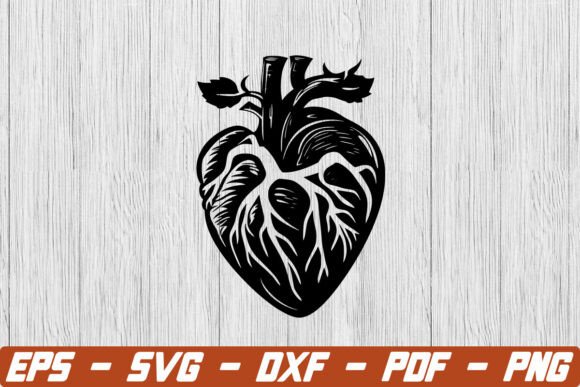
Anatomical Heart SVG and Heart Clip Art: A Practical Guide to Choosing Quality Designs
The intersection of medical accuracy and artistic expression has made the anatomical heart a surprisingly versatile motif in modern design. Whether you are creating merchandise for nursing students, designing educational materials for biology classes, or crafting gothic-inspired apparel, finding the right visual asset is crucial. However, searching for an Anatomical Heart SVG or generic Heart Clip Art often leads to a mix of high-quality vector files and poorly traced raster images that fail when put to use. Understanding the technical and aesthetic distinctions between these assets saves time, money, and frustration during the production process.
Distinguishing True Vectors from Disguised Rasters
The most frequent issue creators encounter when downloading or purchasing heart graphics is the mislabeling of file types. A true SVG (Scalable Vector Graphics) file consists of mathematical paths, nodes, and curves. This structure allows the image to be resized infinitely without losing quality and enables editing within software like Adobe Illustrator, Inkscape, or Cricut Design Space. Unfortunately, many marketplaces host files labeled as "SVG" that are actually PNG or JPEG images embedded inside an SVG container.
When you attempt to cut these fake vectors with a vinyl cutter or laser engraver, the machine cannot recognize individual paths. Instead, it treats the entire image as a single bounding box, resulting in a solid square cut rather than the intricate ventricles and arteries you intended. To avoid this, always open the file in your vector editing software before purchasing or committing to a project. Zoom in to 400% or higher; if the edges remain crisp and smooth, it is a genuine vector. If pixelation appears, or if you cannot select individual anchor points, you are dealing with a raster trace that will require significant rework or replacement.
Evaluating Anatomical Accuracy Versus Stylization
Not all anatomical heart designs serve the same purpose, and selecting the wrong style can undermine your project’s credibility. For medical professionals, educators, or science communicators, anatomical precision is non-negotiable. A stylized heart clip art piece might look appealing aesthetically but could be misleading in an academic context. Conversely, a hyper-realistic medical illustration might feel too clinical for a fashion brand or a Valentine’s Day card.
Before finalizing a design, define the specific intent of your project. If accuracy is required, verify that the illustration correctly depicts the four chambers, major vessels like the aorta and pulmonary artery, and proper spatial relationships. Many artists take creative liberties that distort these features for stylistic effect. While beautiful, these distortions render the asset unsuitable for educational use. Always cross-reference the artwork with a trusted medical diagram if your audience expects scientific validity. For decorative projects, prioritize line weight consistency and visual balance over strict biological correctness.
Technical Pitfalls in Cutting and Printing
Even a genuine vector file can cause production headaches if it hasn't been optimized for your specific output method. Complex anatomical heart SVGs often contain thousands of nodes to capture organic textures and shading gradients. While this detail looks stunning on screen, it can overwhelm cutting machines, causing lag, stuttering, or failed cuts. For vinyl applications, excessive detail translates to weeding nightmares where tiny pieces of material tear or lift unintentionally.
To mitigate this, look for designs specifically optimized for fabrication. These files typically feature simplified paths, welded shapes, and removed interior details that do not translate well to physical media. If you already own a complex file, use the "simplify" or "smooth" function in your design software to reduce node count without sacrificing the overall silhouette. For print-on-demand or sublimation, ensure the color profile matches your printer’s capabilities. Many heart clip art files are created in RGB for web display but require CMYK conversion for accurate fabric printing. Failing to convert can result in muddy reds and dull pinks that disappoint customers expecting vibrant colors.
Licensing and Commercial Usage Rights
A common oversight involves assuming that downloading a free or purchased SVG grants unlimited usage rights. Licensing terms vary significantly between platforms and individual designers. Some licenses permit personal use only, while others allow small-scale commercial sales up to a specific unit cap. Others may prohibit using the design in digital products, templates, or print-on-demand services entirely.
Ignoring these restrictions exposes your business to legal risks and potential takedown notices. Always read the license agreement attached to the Anatomical Heart SVG or Heart Clip Art before integrating it into a product line. Keep records of your purchase and the specific license tier acquired. If you plan to scale a successful design beyond the initial license limits, contact the artist proactively to negotiate an extended commercial license. Supporting creators through proper licensing also ensures the continued availability of high-quality assets in the marketplace.
Optimizing Workflow and File Management
Efficiency suffers when designers treat every heart graphic as a standalone element rather than part of a cohesive system. Downloading disparate clip art files from multiple sources often results in inconsistent line weights, varying levels of detail, and mismatched color palettes. When these elements are combined in a single layout or product collection, the lack of visual unity becomes apparent and diminishes perceived quality.
Adopt a curated approach by sourcing assets from the same designer or collection whenever possible. If mixing sources is necessary, allocate time for normalization. Adjust stroke widths to match across elements, unify color values using global swatches, and align stylistic choices like shading techniques or outline thickness. This extra step creates professional cohesion that distinguishes polished work from amateur assemblies.
- Verify node counts: High-detail anatomical hearts may need simplification for vinyl cutting to prevent machine errors and weeding difficulties.
- Check layer organization: Well-structured SVGs have named layers and grouped elements, making customization faster and reducing editing time.
- Test before bulk production: Always run a sample cut or print to validate sizing, color accuracy, and material compatibility before committing to large orders.
- Confirm transparency: Ensure clip art backgrounds are truly transparent; white-filled backgrounds create unwanted borders on colored substrates.
Making Informed Purchasing Decisions
The abundance of available heart graphics can lead to decision paralysis or impulse purchases based solely on thumbnail previews. Thumbnails are often optimized for screen appeal and may hide flaws visible at full resolution or in production. Before buying, examine preview images critically. Look for zoomed-in views showing edge quality, check user reviews mentioning cutting performance or print results, and verify the included file formats match your workflow needs.
Consider the long-term value of the asset. A slightly more expensive, professionally crafted Anatomical Heart SVG with proper licensing and optimization often provides better return on investment than a cheap alternative requiring hours of cleanup or risking copyright issues. Investing time in evaluation upfront prevents costly corrections downstream and builds a reliable library of assets that support both creative vision and business sustainability. By approaching selection with technical awareness and clear project goals, you transform simple clip art into powerful, functional design elements that resonate authentically with your intended audience.