Watercolor Witch Hat PNG Clipart: A Practical Guide to Quality and Usage
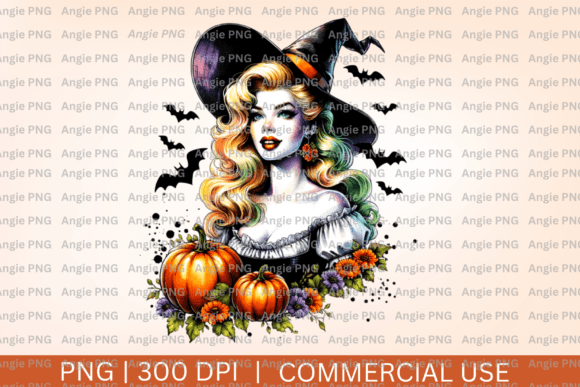
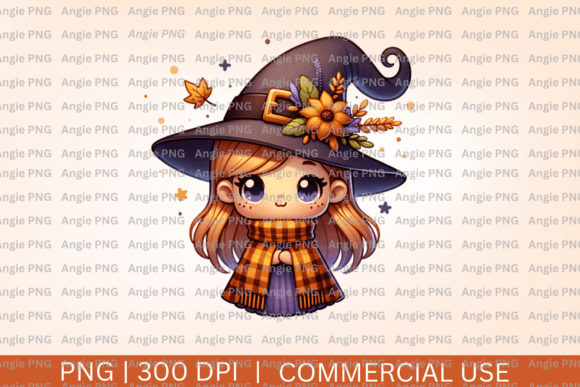
Finding the perfect seasonal asset often feels like a treasure hunt, especially when your project demands a specific aesthetic that balances whimsy with professionalism. Watercolor witch hat PNG clipart has become a staple for autumn marketing, Halloween party invitations, and cozy fall product lines because it offers an organic, hand-painted texture that vector graphics simply cannot replicate. The appeal lies in the transparency and the soft edges of watercolor media, which allow these hats to blend seamlessly into backgrounds without harsh cutout lines. However, the abundance of options on digital marketplaces can lead to frustration if you do not know what to look for beneath the thumbnail.
Many creators assume that all transparent PNGs are created equal, but this assumption is frequently the source of wasted budget and compromised design quality. When selecting watercolor witch hat PNG clipart, you are not just buying an image; you are acquiring a digital material that must behave predictably in your layout software. Understanding the technical and artistic nuances of these files ensures that your final product looks intentional rather than amateurish. Let us explore the common pitfalls that designers and business owners encounter and how to navigate them effectively.
The Resolution Trap and Print Clarity
The most frequent mistake occurs when buyers focus solely on the visual preview rather than the technical specifications. A watercolor witch hat might look crisp on a marketplace listing page, but that preview is often optimized for web viewing at 72 DPI. If you intend to use this clipart for physical products like greeting cards, packaging, or apparel, web-resolution files will result in pixelation and muddy details when printed.
Always verify the pixel dimensions and DPI before purchasing. For professional print work, ensure the file is at least 300 DPI at the size you intend to use it. A high-quality watercolor witch hat PNG should typically be no smaller than 2000 pixels on its shortest side to maintain the integrity of the paint splatters and brush strokes. Relying on upscaling software to fix a low-resolution file rarely works well with watercolor textures because the algorithm struggles to interpret the organic grain of the paper and pigment, often resulting in artificial smoothing that destroys the handcrafted feel.
Misunderstanding Transparency and Edge Artifacts
Transparency is the defining feature of PNG clipart, yet it is also where many quality issues hide. Not all "transparent" backgrounds are truly clean. Some sellers remove backgrounds using automated tools that leave behind faint white halos, gray fringes, or jagged pixels around the brim of the witch hat. These artifacts may be invisible against a white background on a product page but become glaringly obvious when you place the hat over a dark or colored texture in your own design.
To avoid this, examine the zoomed-in preview specifically at the edges where the paint meets the void. Better yet, test the file immediately after download. If you notice fringe issues, do not accept them as inevitable. While manual cleanup in Photoshop or Affinity Photo is possible, it defeats the purpose of buying ready-to-use assets. Prioritize sellers who demonstrate meticulous masking techniques or offer sample files so you can verify edge quality before committing to a full bundle. Clean edges are non-negotiable for professional compositing.
Licensing Confusion for Commercial Creators
A beautiful piece of watercolor witch hat PNG clipart is useless if your usage violates the creator’s terms. Licensing is often overlooked in the excitement of finding the perfect aesthetic, leading to potential legal headaches later. Many users mistakenly believe that purchasing a file grants unlimited rights, but licenses vary significantly between personal use, small business commercial use, and extended commercial use for mass production.
Read the license agreement with the same attention you give to the artwork itself. Check specifically for restrictions on:
- Print-on-Demand (POD): Some licenses prohibit using the clipart as the primary element on merchandise sold through third-party platforms.
- Digital End Products: Using the hat in a digital planner or template often requires a different license tier than using it in a static social media post.
- Credit Requirements: Determine if attribution is mandatory for your specific use case.
- Modification Rights: Ensure you are allowed to recolor, crop, or combine the hat with other elements.
Clarifying these details upfront protects your business and respects the artist's intellectual property. If a license is ambiguous, contact the seller before purchase. Most reputable creators are happy to clarify permissions.
Style Consistency Across Bundles
When building a cohesive collection, such as a line of Halloween stationery or a fall website theme, inconsistency in art style can undermine the entire project. Watercolor is inherently variable; one artist’s witch hat might feature bold, saturated pigments with hard edges, while another’s uses pale washes with soft bleeding. Purchasing individual hats from different sources often results in a disjointed final product where elements look like they belong to separate universes.
Instead of cherry-picking single images, seek out comprehensive bundles created by the same artist or studio. This ensures consistent lighting direction, brushwork texture, color palette, and paper grain. If you must mix sources, perform color grading and texture overlay adjustments in your design software to unify the disparate elements. Creating a unified adjustment layer or applying a global paper texture over your composite can help marry different watercolor styles together, making the combination look deliberate rather than accidental.
Evaluating File Organization and Usability
Efficiency matters, especially when you are working against a deadline. Poorly organized clipart packs can turn a simple task into a time-consuming chore. Before downloading a large bundle of watercolor witch hat PNG clipart, check how the files are structured. Are they named descriptively (e.g., "purple-witch-hat-with-buckle.png") or generically (e.g., "img_4592.png")? Are they sorted into logical folders by color, orientation, or accessory type?
Disorganized files force you to open dozens of images individually to find the right variation, wasting valuable creative time. High-quality digital assets respect your workflow. Additionally, consider whether the pack includes useful variations such as mirrored versions, isolated accessories (like separate buckles or ribbons), or pre-arranged compositions. These additions significantly increase the versatility of your purchase and reduce the need for extensive manual editing. Investing slightly more in a well-curated, professionally organized pack often yields better ROI than a cheaper, chaotic alternative.
Making Informed Decisions for Better Results
Ultimately, successful use of watercolor witch hat PNG clipart comes down to mindful evaluation rather than impulse selection. By prioritizing resolution, verifying transparency, understanding licensing, maintaining stylistic coherence, and valuing organization, you transform these digital assets from mere decorations into powerful professional tools. Take a moment to assess your project’s specific needs before browsing. Knowing whether you need print-ready resolution or web-optimized files, commercial rights or personal use only, bold statements or subtle accents will guide you to the right resources.
The goal is to enhance your creative vision, not to spend hours fixing technical flaws or worrying about compliance. When you approach digital asset acquisition with this level of intentionality, the result is work that feels polished, authentic, and respectful of both your audience and the original artists. Quality clipart should make your process smoother and your outcomes more impressive, allowing the charm of watercolor to shine through without distraction.